MY PROJECTS
Project Details
A detailed overview of the problems, solutions and results of my projects.
← Back to all projectsPROJECT 01
Community Bus Scheduling – Web Application
The problem
Two separate Excel applications had previously been developed for the local community bus service: one for daily trip scheduling and one for weekly driver planning.
Both applications provided most of the required functionality, but became slower over time. Separate Excel files were also less suitable for multiple planners who needed to work simultaneously with up-to-date information.
My solution
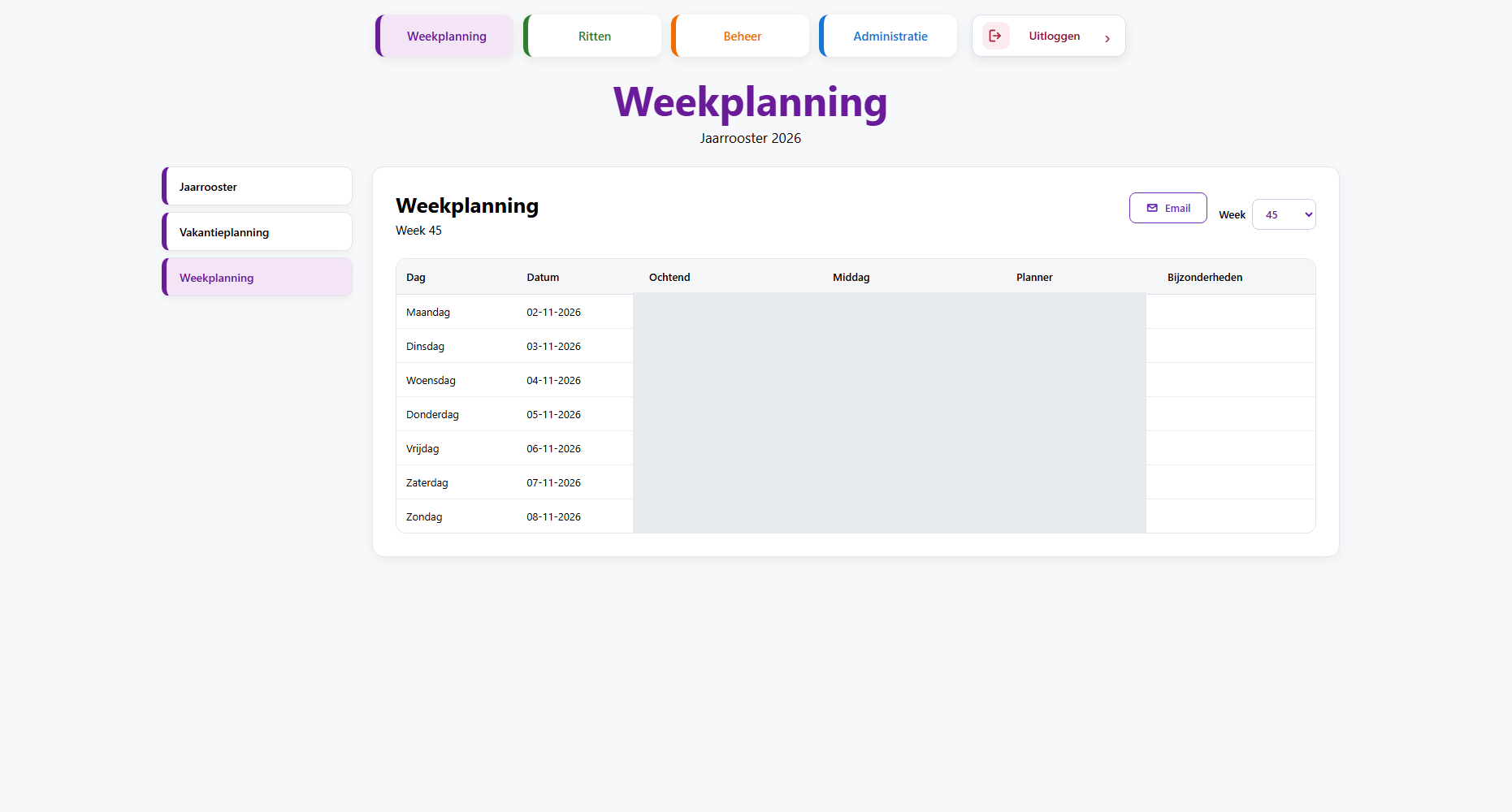
I decided to combine both applications into a single web application. This allowed daily trip scheduling and weekly driver planning to be managed within one system.
How I developed it
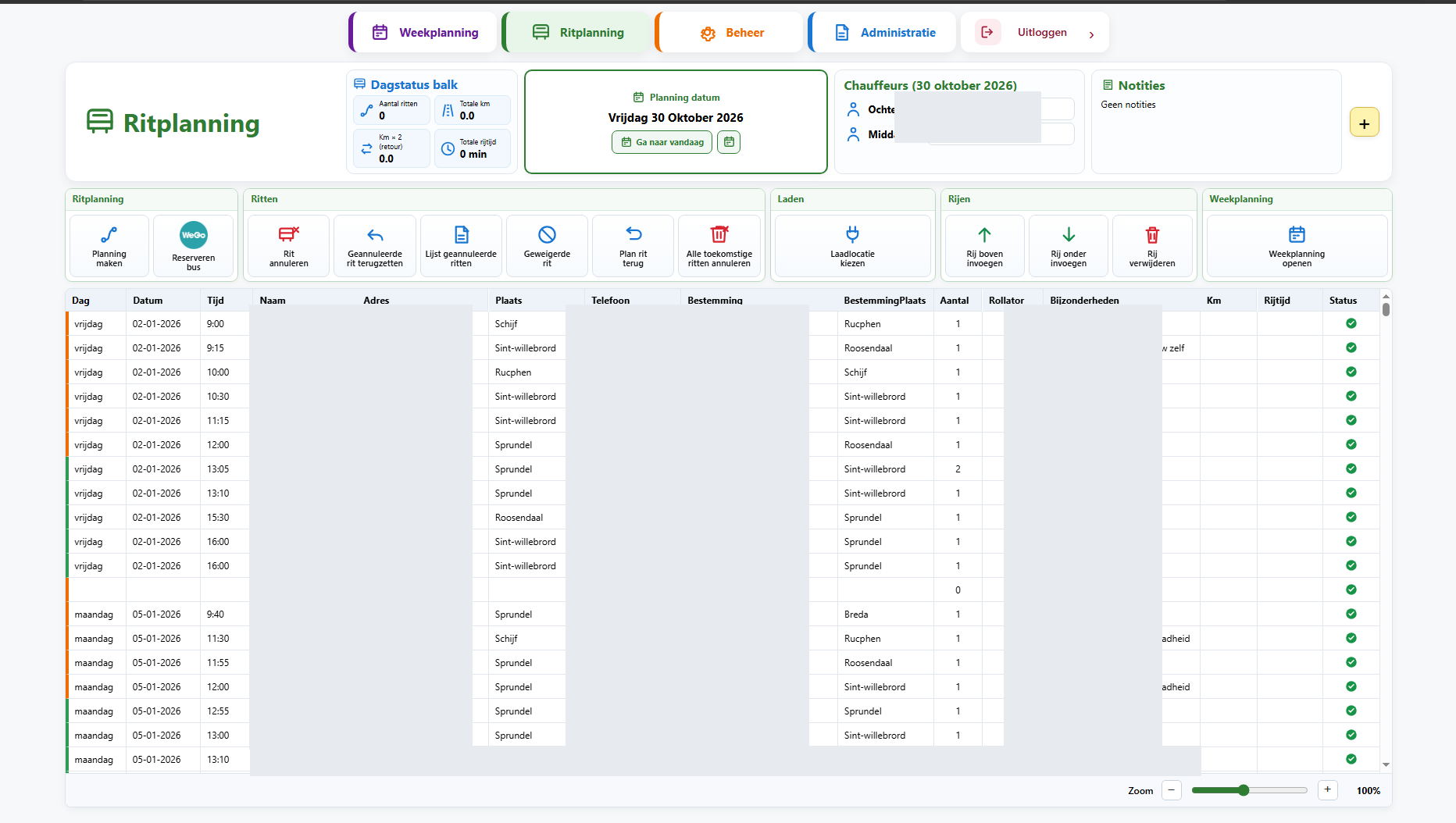
The application supports entering and scheduling trips, daily driver assignments and combining multiple trips.
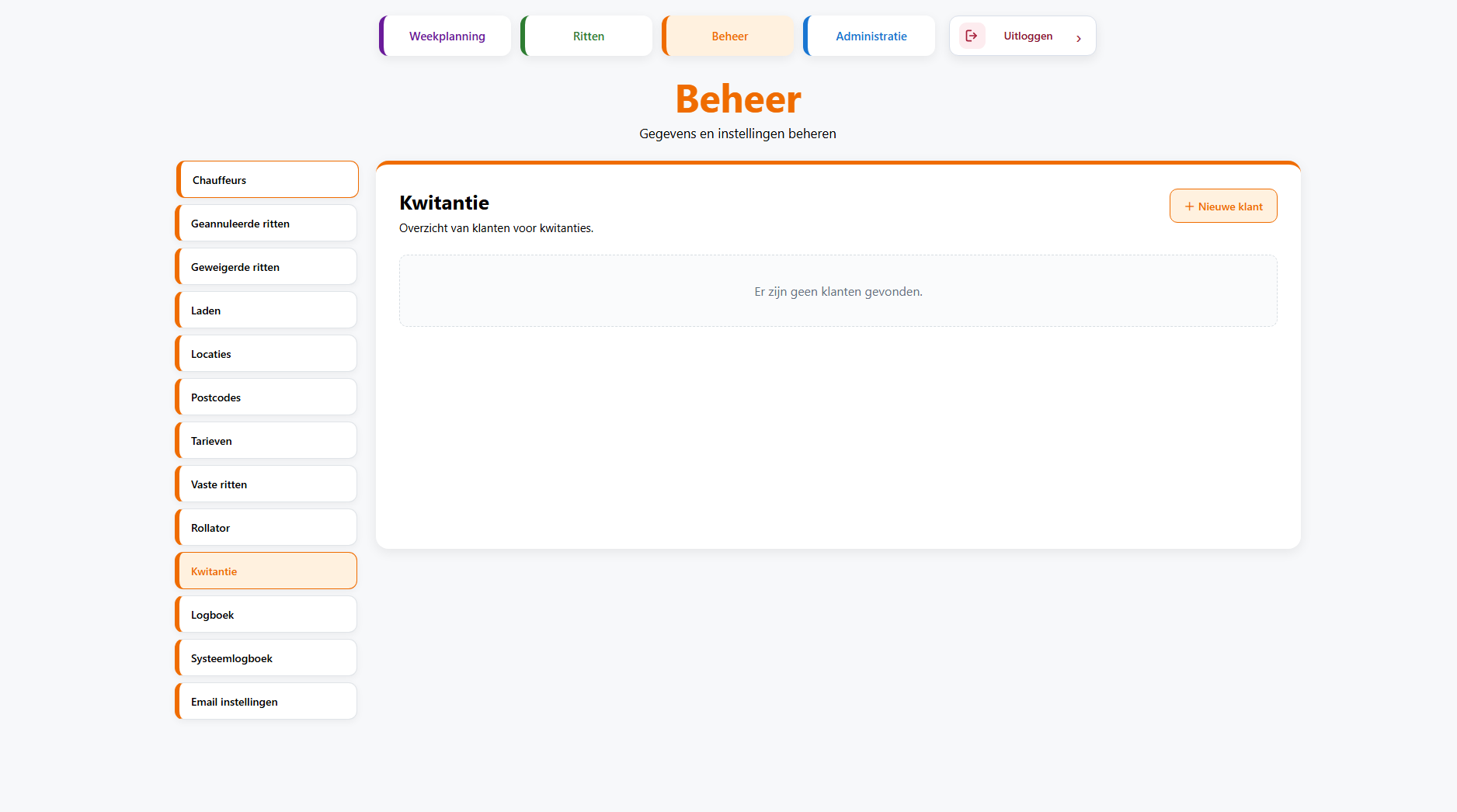
It also takes into account the driving range of electric vehicles and required charging periods. Cancelled and declined trips can also be recorded.
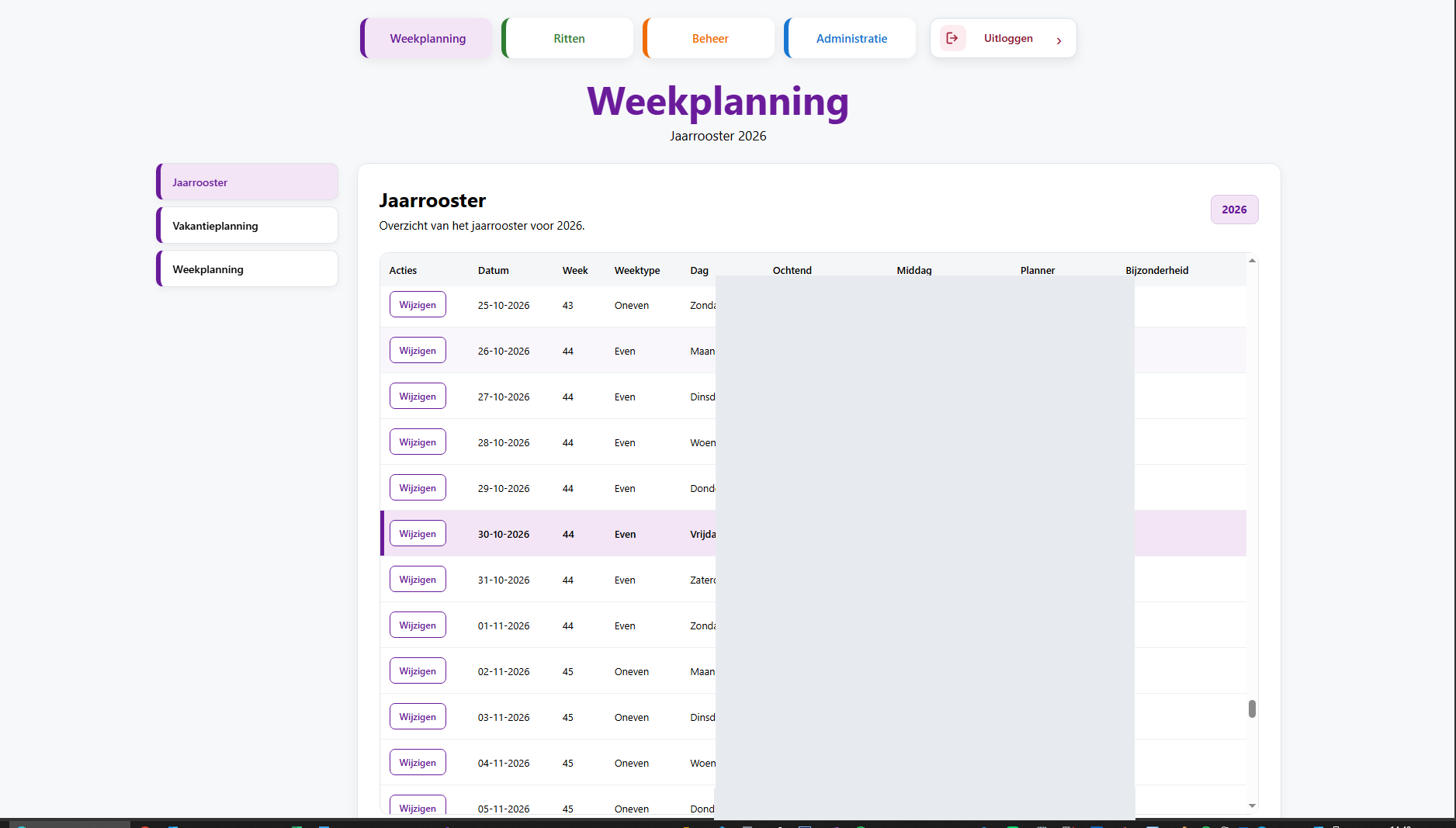
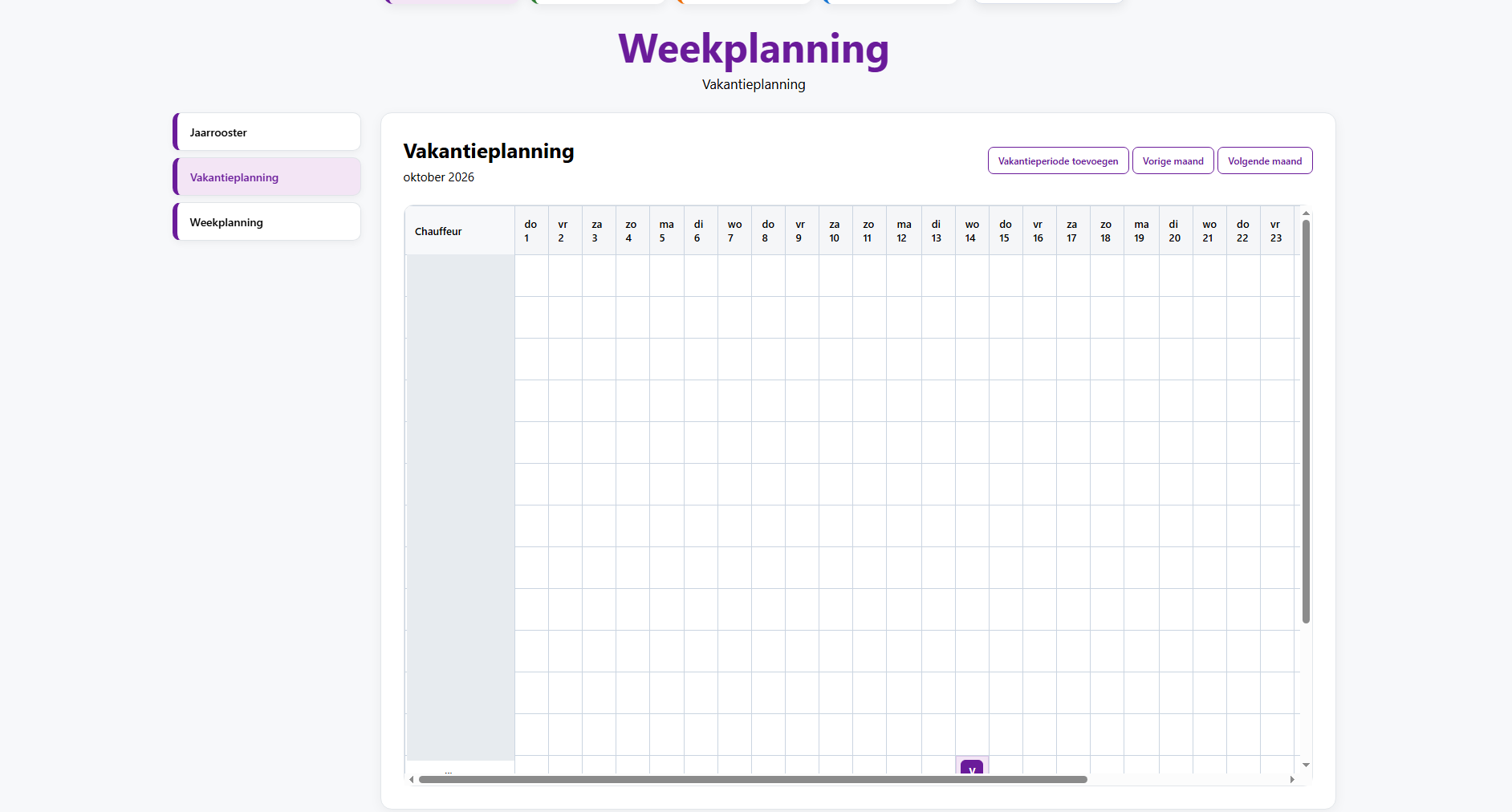
Additional features include weekly scheduling, receipt processing and the generation of annual overviews.
My role
I defined how the application should work, created the functional design and developed the underlying process logic. I extensively tested the various features and made improvements based on the results.
I used ChatGPT as a tool to assist with more complex programming tasks, while also writing parts of the code myself. My main contribution was translating practical operational requirements into a working application.
The result
Daily trip scheduling and weekly driver planning were brought together in a single web application. Planners can now work from different locations using the same up-to-date information.
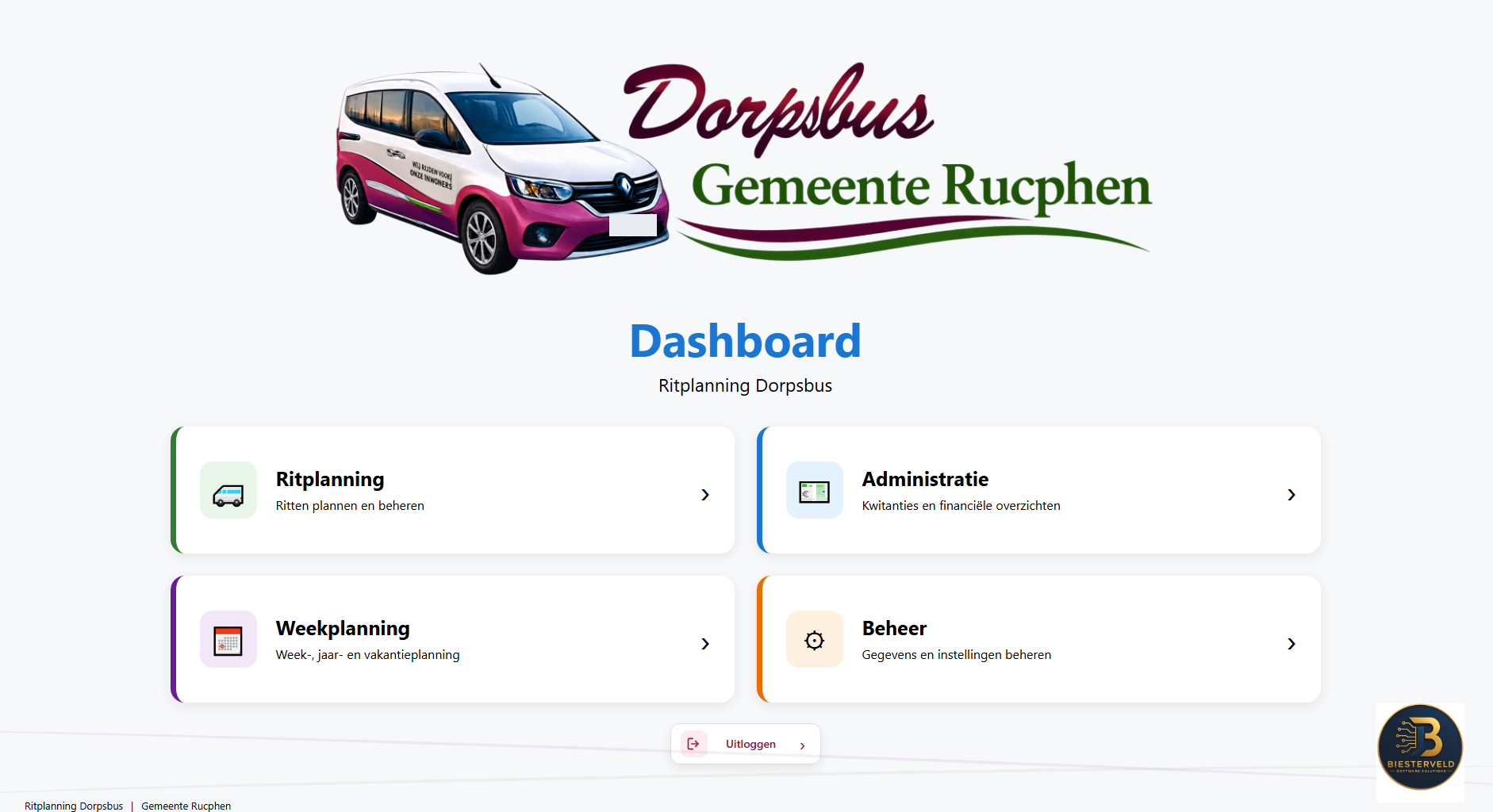
What the application looked like
Screenshots of the original web application will be added here after personal information has been removed.
PROJECT 02
Community Bus – Excel Applications
The problem
The community bus trip schedule was originally maintained manually in Google Spreadsheets. Trips had to be copied from a separate list into an empty daily schedule.
Routes were created in Google Maps, and links to those routes were added manually. The weekly schedule also had to be rebuilt every week.
My solution
To simplify these processes, I developed two separate Excel applications using VBA: one for trip scheduling and another for weekly driver planning.
How I developed it
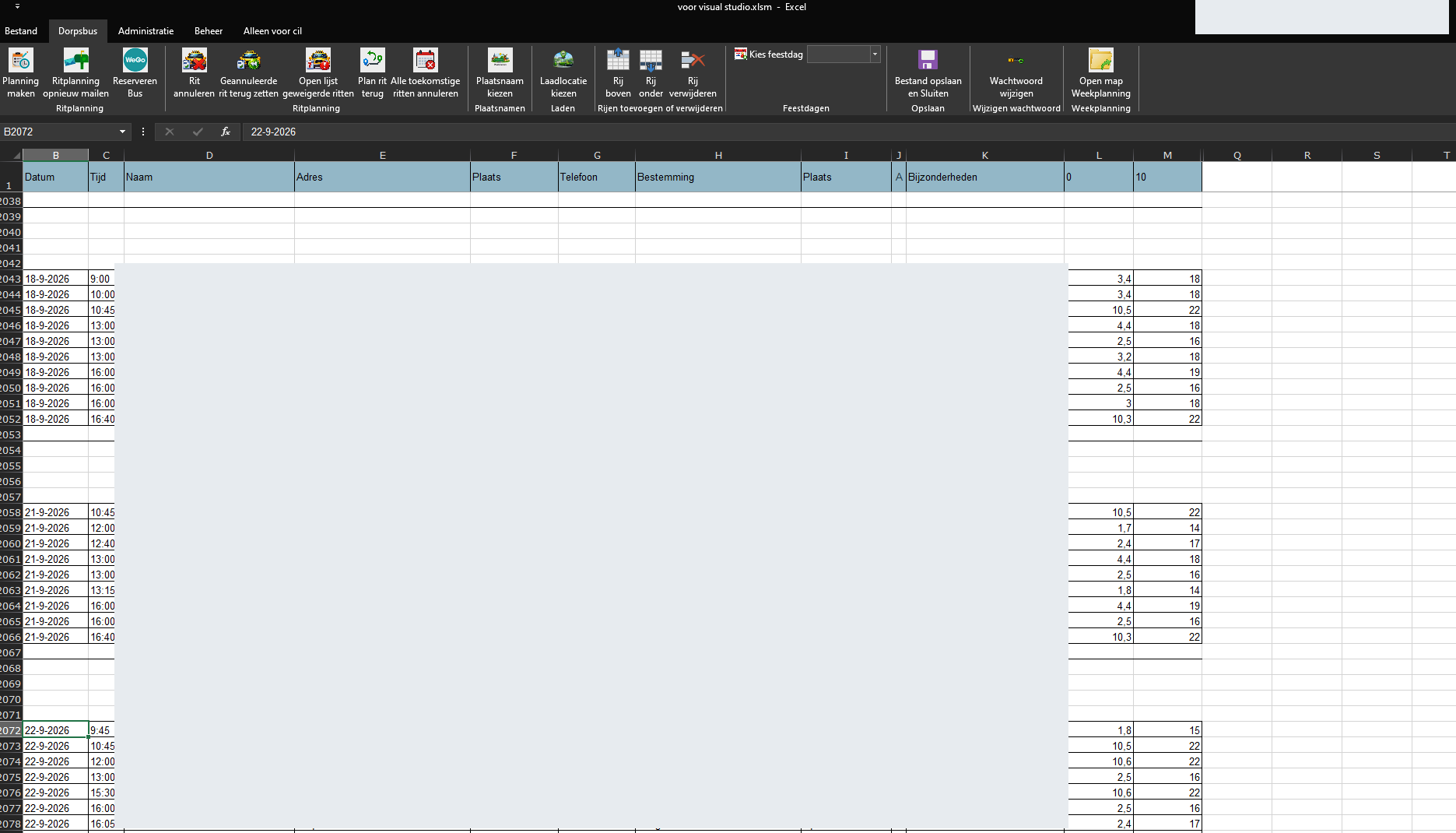
Trips could be entered and scheduled directly in the Excel worksheet. The scheduling process took into account the driving range of electric vehicles and required charging periods.
Combining trips was assessed manually and recorded in the remarks. Separate buttons were available for functions such as cancellations, declined trips and charging periods.
Using Custom UI Editor, I created customised Excel ribbon menus that provided direct access to the VBA functions.
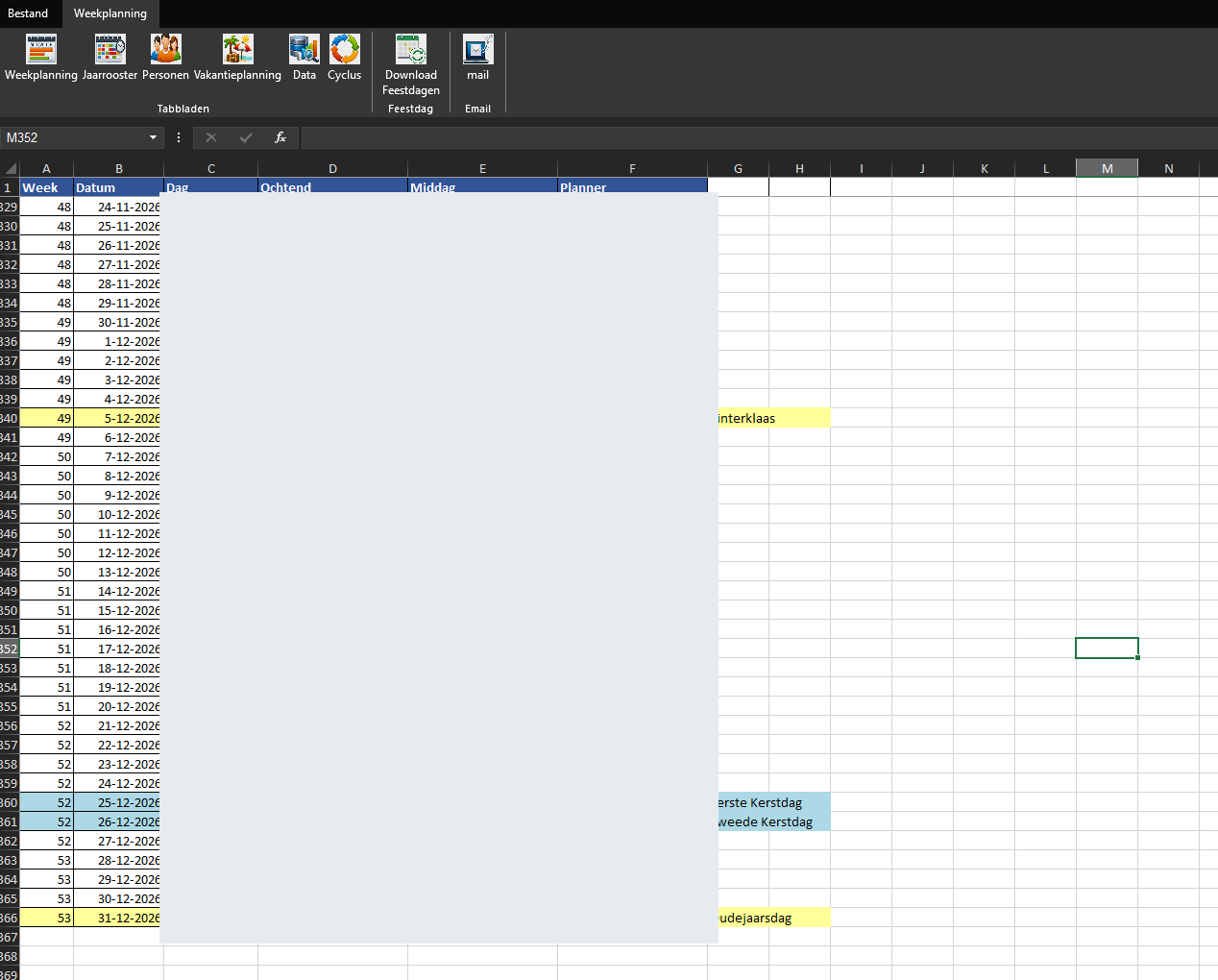
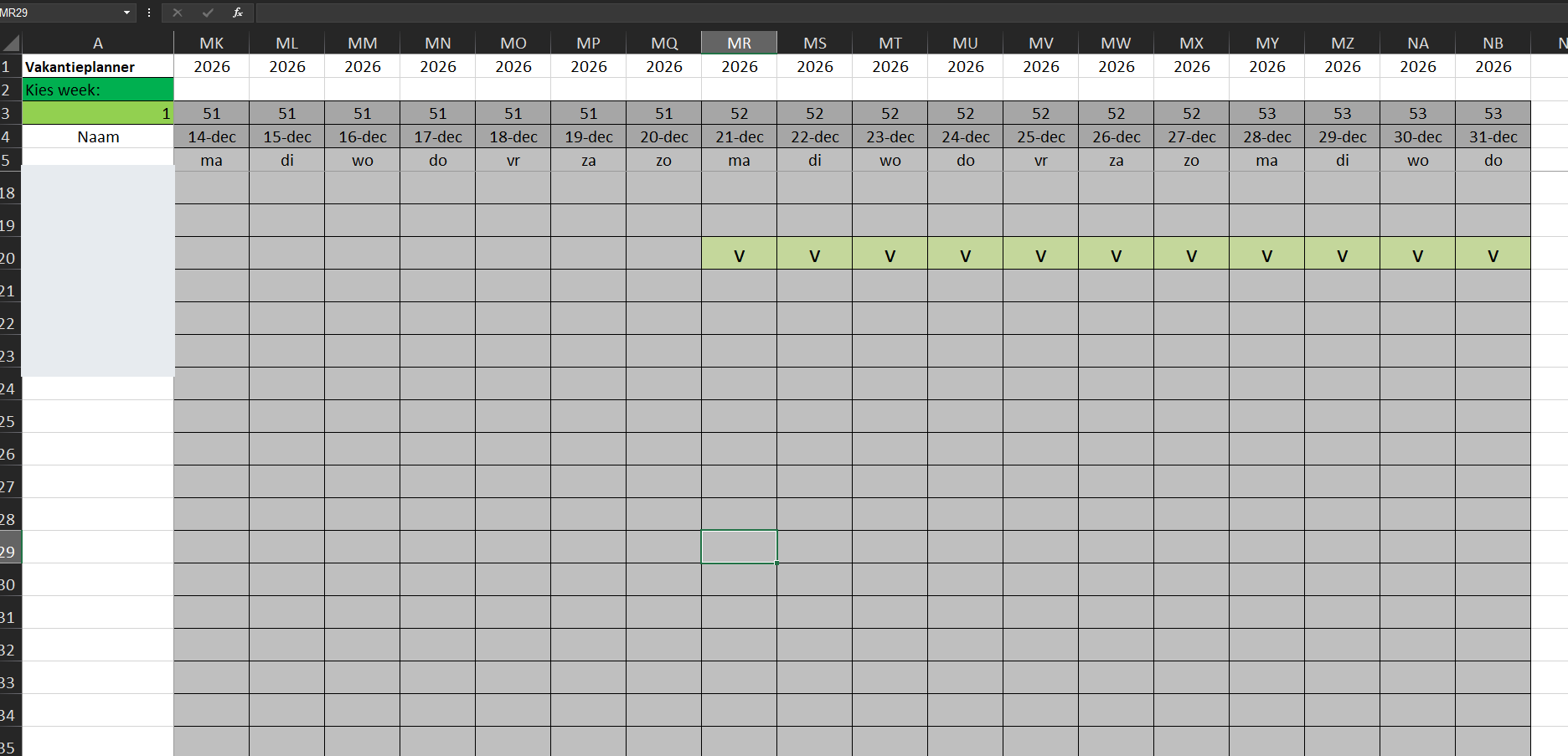
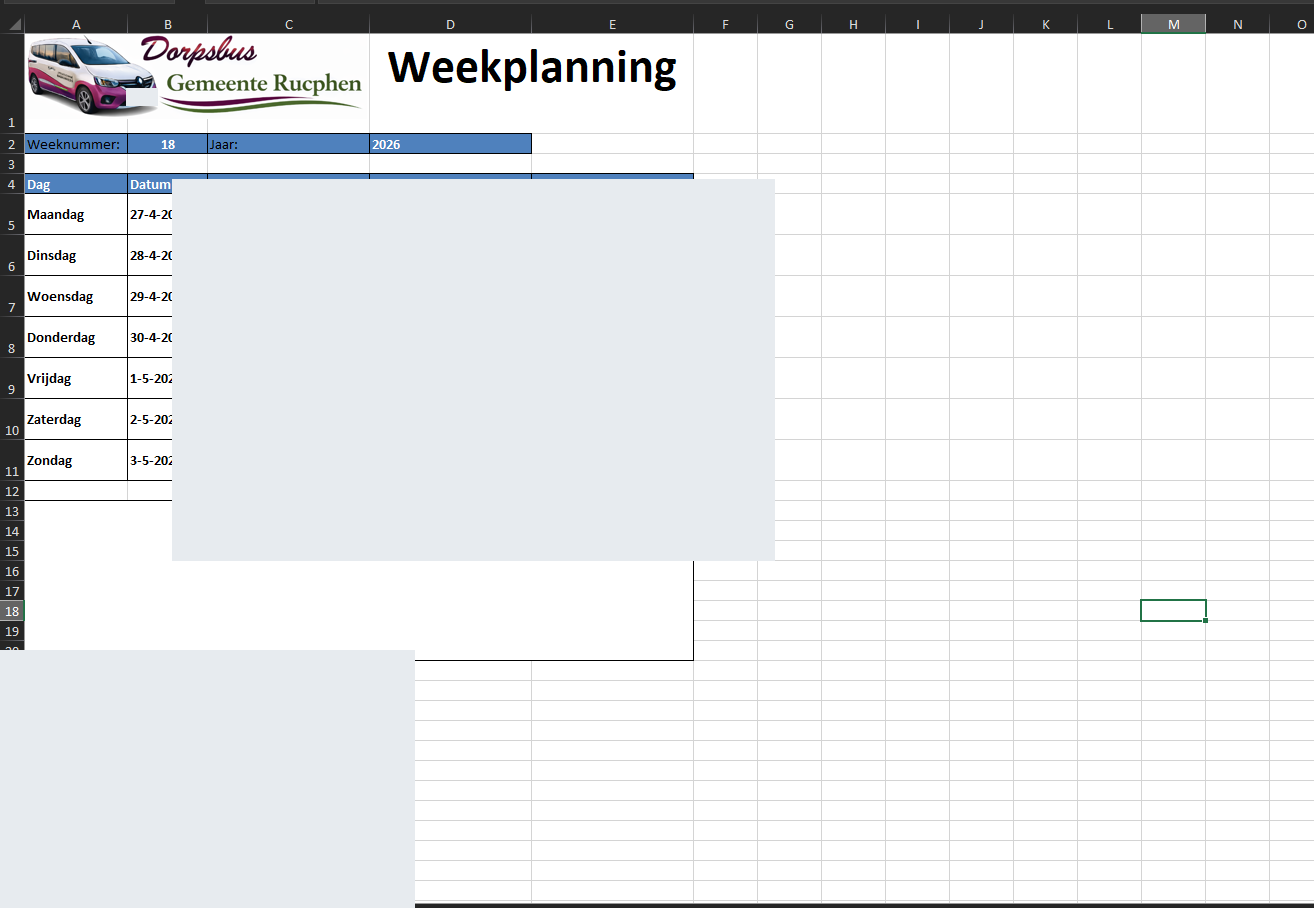
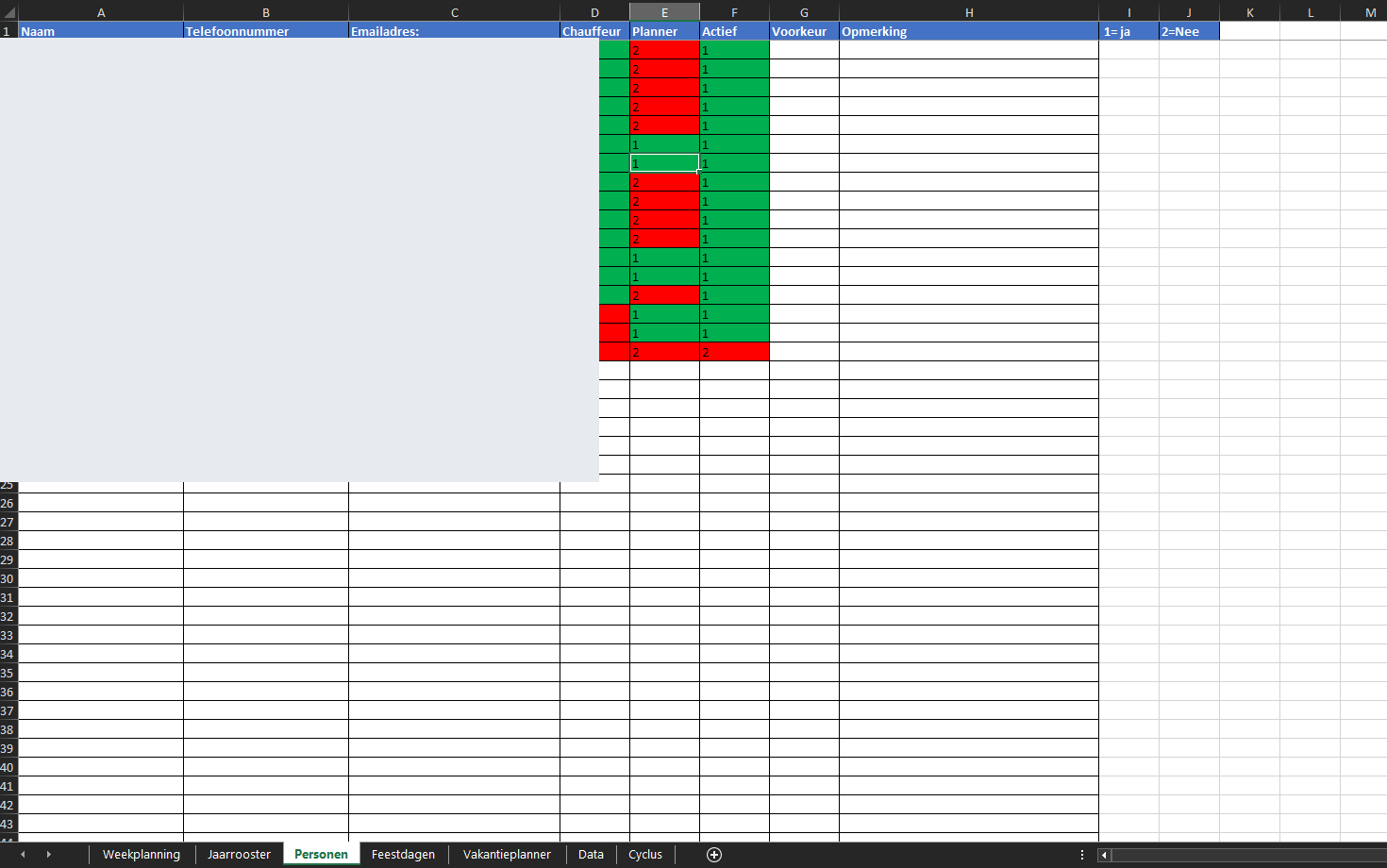
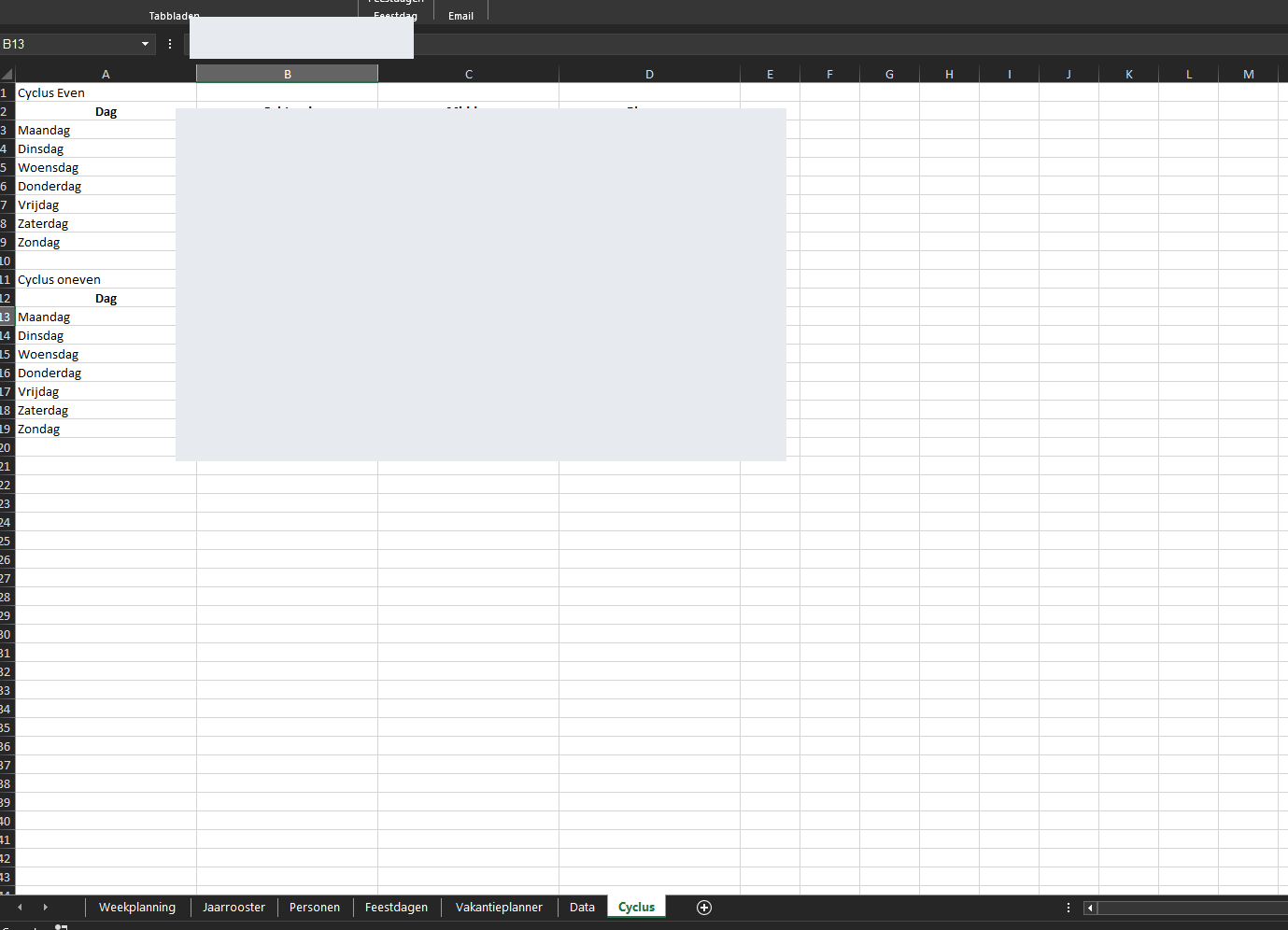
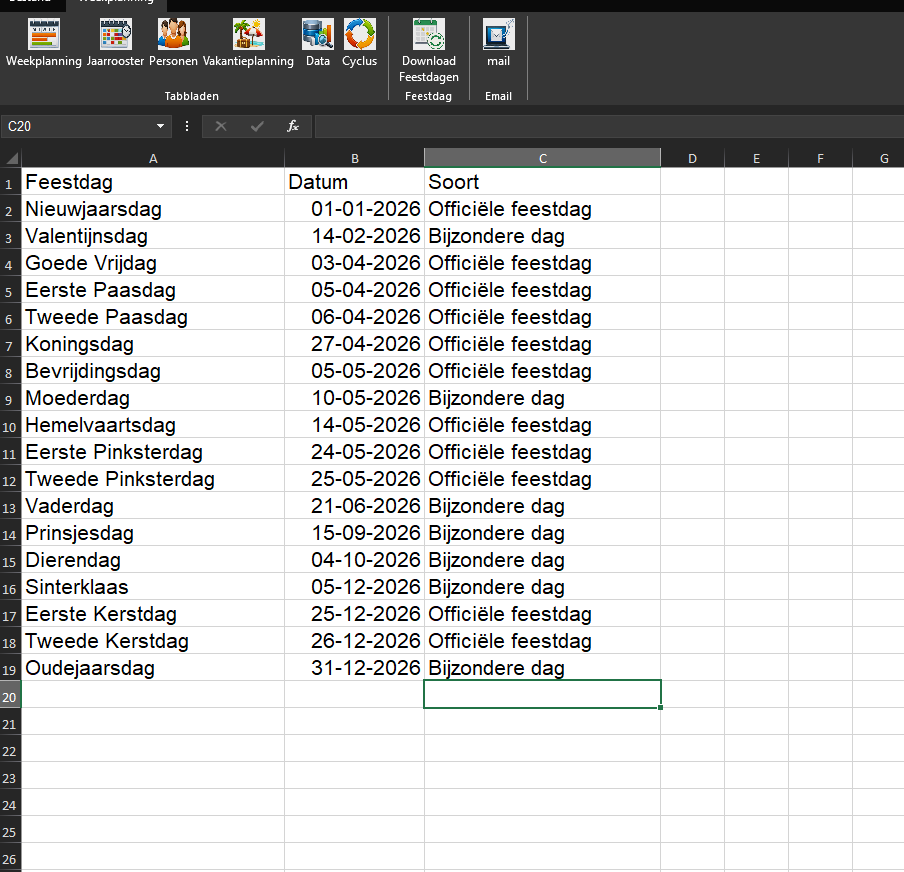
The weekly scheduling application was designed for the lead planner. It used an annual schedule, a fixed driver rotation and holiday planning. A separate worksheet allowed the planner to display a selected week or the following week.
The schedule accounted for morning and afternoon driver assignments and the availability of the bus.
My role
I analysed the existing workflow and designed the structure, interface and process logic of both applications.
I wrote VBA code myself and used ChatGPT as a tool for more complex parts. By testing the applications in practice, I identified issues and improved their operation.
The result
Both applications made daily trip scheduling and weekly planning more organised. Repetitive manual tasks were simplified and partly automated.
What the applications looked like
Screenshots of the original Excel applications will be added here after personal information has been removed.
PROJECT 03
Mobile Security Patrol Reporting
The problem
Around 2010, an increasing number of clients of my security company wanted to receive their reports digitally. During mobile security patrols, inspections, alarm responses and incidents were recorded throughout the night.
A separate report had to be prepared and sent to each client. At the same time, as the business owner, I needed a complete overview of all activities performed during the night.
My solution
I developed an application using Microsoft Access 2010 and VBA. All activities could be registered in one central overnight report, with each entry linked to a specific client number.
How I developed it
During patrol shifts, I entered the activities directly into the Access application on my laptop in the patrol vehicle.
At the end of a shift, a single button generated individual PDF reports for each client. The application automatically saved the PDFs in the correct client folders and emailed them to the configured addresses.
Each client received only their own inspection and alarm response reports, while I retained the complete overnight overview.
My role
I independently conceived, designed and developed the application. Since I had limited programming experience at the time, I used Google to find explanations and examples for Access and VBA.
I tested the application using my own email address as a test client. Whenever something did not work correctly, I adjusted the code or functionality and tested it again.
The result
Preparing, saving and sending security patrol reports became largely automated. This saved time and made the administration easier to manage.
PROJECT 04
Business Administration and Scheduling System
The problem
Within my own security company, I spent considerable time manually preparing work and monthly schedules, calculating working hours, allowances and commuting mileage, and creating customer invoices.
The same information had to be processed repeatedly for different administrative tasks.
My solution
I developed an integrated Excel application using VBA, combining employee scheduling, time registration and invoicing. The employee schedule served as the basis for the other administrative processes.
How I developed it
In the work and monthly schedules, I entered client numbers, employee numbers and working hours. Regular assignments were already included, and the number of unfilled shifts was displayed at the top left of the schedule.
With a single button, the application generated timesheets, including allowances and commuting mileage. These documents could be printed and were automatically saved as PDFs in the correct employee folders.
For invoicing, the application retrieved client numbers and working hours from the schedule. Rates for each assignment were obtained from a separate worksheet.
Each client received a separate invoice containing an invoice number, hours worked, rates, total amount and automatically calculated VAT. Saving and emailing documents were also automated.
My role
I independently conceived and developed the application based on my experience as a business owner. I used Google to learn how to program different functions in VBA.
I tested the application using fictional clients and employees, along with several email addresses under my own control. I corrected problems and repeated the tests until the application worked as intended.
The result
By combining employee scheduling, time registration and invoicing, I no longer needed to enter the same information repeatedly. Many recurring administrative tasks were automated, resulting in significant time savings.